Furniture can be assembled at any time. What decides whether a company works on Monday is its technology. We write this from the point of view of a company whose main business is IT and network administration, and which therefore knows where moving equipment most often gets stuck.
Prepare the new premises before the furniture
- Internet. Order it as soon as you know the address. Installation in a new building can take several weeks. If it will not be ready in time, prepare a fallback (for example a mobile connection) for the first days.
- Power sockets and network ports. Go through the floor plan: is there power and a network socket at every desk? Where will the printer and the Wi-Fi access points be?
- Space for the rack. A server room or technical room needs ventilation, a separate circuit breaker and ideally a UPS. Check that the new room can provide this.
- Network in advance. If possible, have the network devices installed and tested before the workstations are moved.
Inventory and labels
Make a list of equipment by workstation: computer or docking station, monitors, keyboard and mouse, phone, and a personal printer if there is one. Every item gets a label with the workstation number according to the floor plan of the new office.
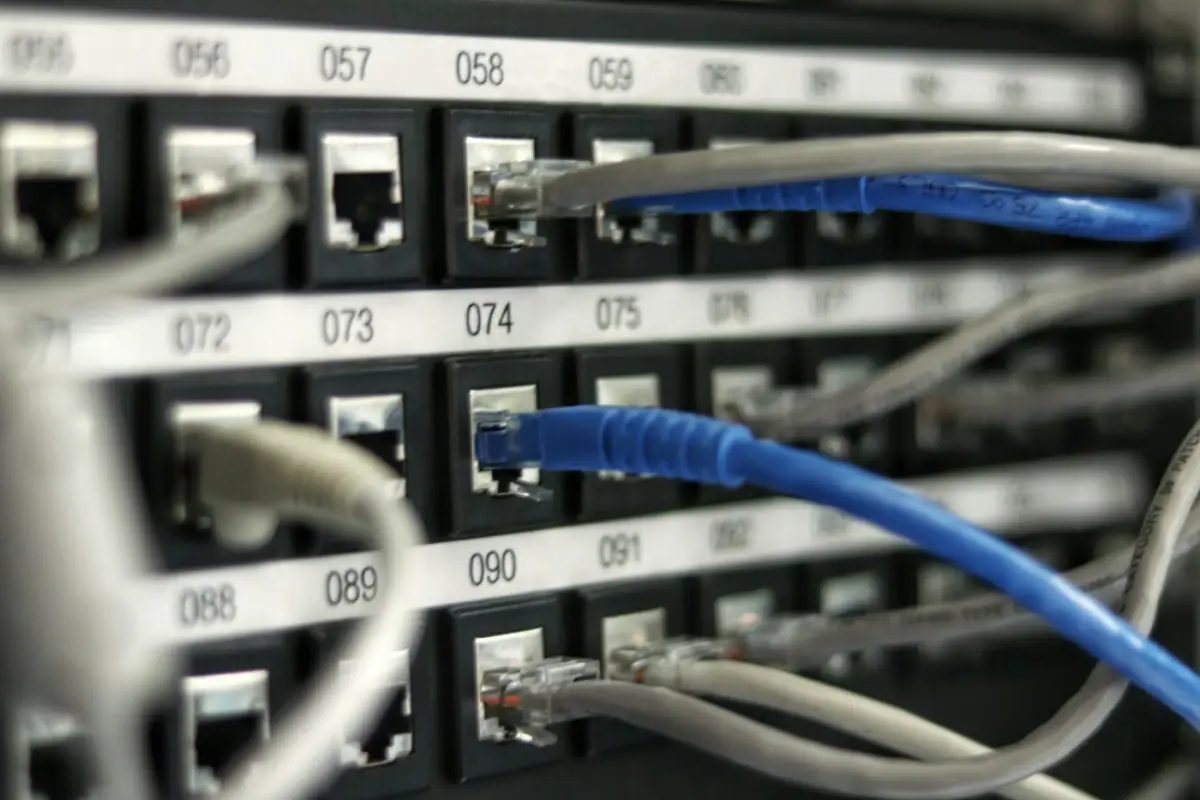
Label cables at both ends. At workstations this is usually simple, at the rack and in the server room it is essential: every cable should be marked with where it belongs (port, device). Take photos of everything before disconnecting. A photo of the back of the rack saves hours.
Back up before shutting down
Nothing should happen during transport, but disks do not like shocks and old servers sometimes do not start after being switched off. Before the move:
- make a full backup of servers and network storage and check that it can be restored,
- make sure the backups are not only on a device that is being moved,
- store the login details and configuration of network devices somewhere safe,
- for laptops, check that data is synchronised to the cloud or to the server.
Shutdown and start-up order
In a server room, the order matters. The general procedure is usually:
- notify users and shut down applications,
- shut down servers and storage properly, not by pulling the plug,
- switch off network devices and the UPS,
- at the new address, connect power and network first, then storage, then servers,
- check that services are running and only then let users in.
The exact order depends on your infrastructure. If you have an IT administrator, let them write the procedure.
Transporting equipment
- Transport monitors upright and wrapped, ideally in their original or purpose-made packaging.
- Transport servers and disk arrays removed from the rack if the manufacturer recommends it, and wrapped against shocks.
- Printers: remove toners or secure ink according to the manufacturer's instructions.
- Put cables, power adapters and accessories in a box with the same number as the device.
Monday morning: the check
Before people arrive, go through the workstations: switch on the computer, check the network, printing, the phone. Have someone at hand who can sort out small issues, because on Monday morning there is always a monitor at the wrong desk or a forgotten power cable.
What to leave to the IT administrator and what to the moving company
A sensible split: the IT administrator is responsible for backups, configuration, shutdown order and checking services. The moving company is responsible for disconnecting and reconnecting workstations according to the labels, safe transport and physical handling of the equipment. For the server room, agree who is present at shutdown and start-up.
Laptops instead of desktop computers
If people work on laptops, moving the equipment becomes much simpler. Everyone takes their laptop home on Friday and brings it to the new office on Monday. Only monitors, docking stations and accessories are moved. Even so, they need to be labelled with the workstation number, because docking stations and monitors are easily mixed up.
A plan in case something does not start
Agree in advance what happens if a server or network device does not start after transport. Who is on the phone, where the backup is, whether services can temporarily run elsewhere. Usually nothing like this happens, but the plan costs nothing and saves nerves on Sunday evening.
Phones, printers and small items
- IP phones can usually just be plugged in again, but check that they get the right settings on the new network. If you have landlines, order their transfer in good time.
- Leased printers are often moved by the service company that supplied them. Ask them in advance, otherwise the warranty or service contract may lapse.
- Attendance and access systems (card readers, cameras) are tied to the building. Find out what belongs to you and what belongs to the landlord.
- Small items: chargers, adapters, webcams and headsets get lost most often. They belong in the box with the workstation number, not in a "box of cables".
Wi-Fi and passwords
If you keep the same Wi-Fi network name and password in the new office, laptops and phones will connect by themselves on Monday. If the network changes, prepare simple instructions for people and expect support to spend the first hour mainly on connectivity.
The most common mistakes when moving equipment
- internet ordered too late, the company without a connection for the first days,
- cables in the rack without labels and without a photo of the wiring,
- the backup stored only on the server that is being moved,
- monitors loose in the van without packaging,
- nobody from IT available on Monday morning.
How we handle moving equipment is described on the IT equipment relocation page.
Moving your office and equipment?
Tell us the number of workstations and whether you have a server or a rack. We will agree the procedure, together with your IT administrator if you have one.
Related service: IT equipment relocation